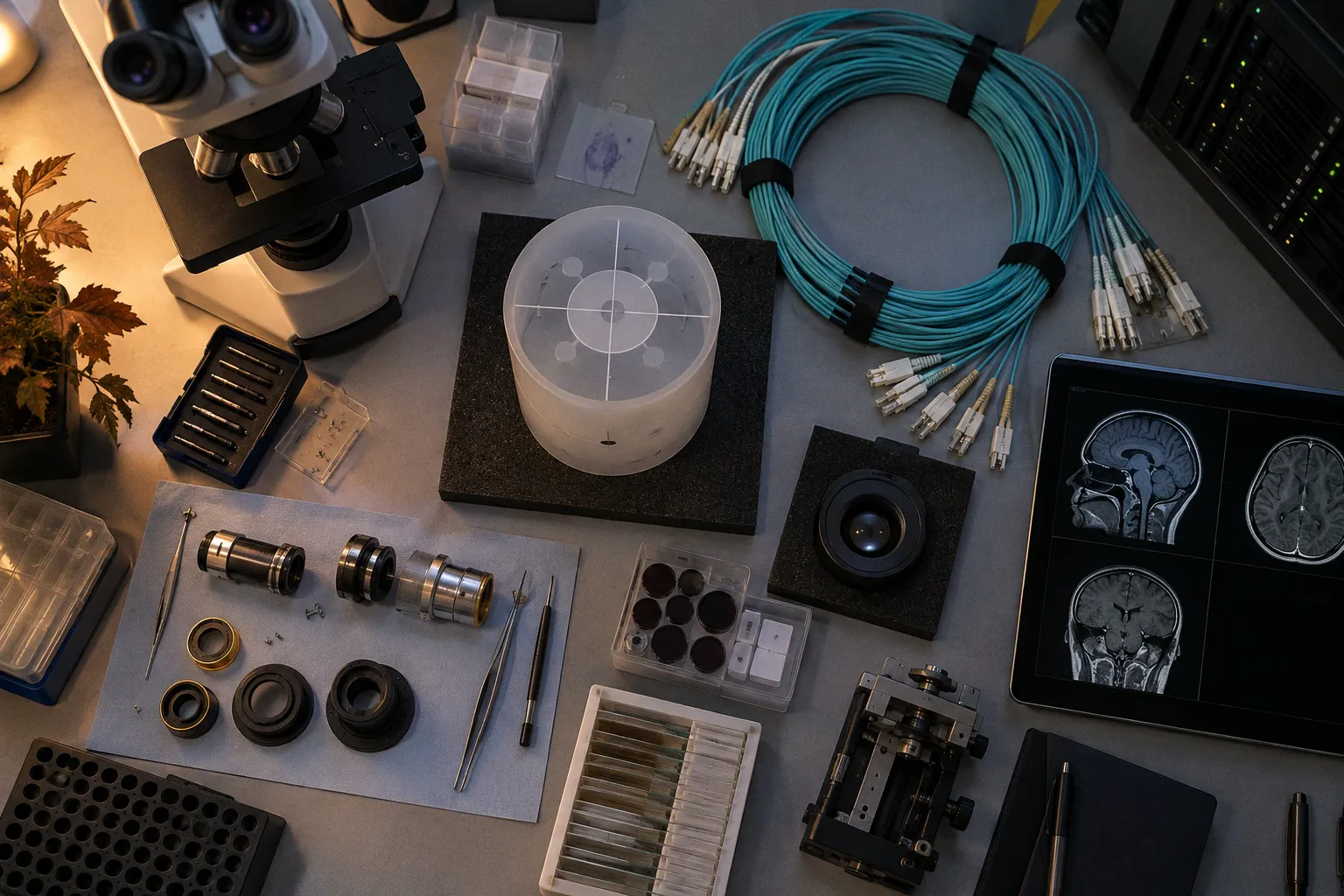
That is the pitch: zero installation, instant access, browser-based radiology workflow, and a thin client that turns almost any reasonably modern computer into an imaging endpoint.
Then someone loads a large multiparametric MRI study.
The series opens. The thumbnails appear. The first slice is fine. Then the radiologist starts scrolling through a volumetric sequence, switches to MPR, launches a 3D reconstruction, or plays a cine loop. Suddenly the difference between “accessible everywhere” and “fast enough for clinical work” becomes less theoretical. The browser is not failing in some dramatic, cinematic way. It is simply accumulating small delays until the reader notices every one of them.
That is the real question behind DICOM web viewer vs native workstation performance. Not whether a browser can display DICOM images. It can. The question is how gracefully each architecture handles volume, interaction, concurrency, and the accumulated click fatigue of a reading room already operating near its throughput limit.
A web viewer removes the desktop installation bottleneck. It does not remove the rendering bottleneck. It merely relocates it.
The architectural split: DICOMweb against DIMSE
The performance gap starts before rendering. It begins with the way imaging data moves.
Web-based DICOM viewers typically use DICOMweb, a family of RESTful services designed to query, retrieve, and store imaging data over HTTP or HTTPS:
- QIDO-RS queries studies, series, and instances.
- WADO-RS retrieves imaging objects and metadata.
- STOW-RS stores DICOM objects back to a server.
This is a clean fit for enterprise imaging. HTTP is familiar infrastructure. It passes through standard web security layers, works naturally with browser applications, and supports a viewer that does not need a locally installed PACS client. The deployment story is attractive because it is genuinely simpler. There is less packaging, fewer workstation-specific dependencies, and no ritual of installing a thick client on every machine that might need to open a study.
Native DICOM workstations tend to operate closer to the traditional PACS stack. They may use DIMSE connectivity, local caching, direct access to high-performance storage, and tightly integrated hardware acceleration. The application can control memory allocation, GPU use, image decoding, and prefetching with considerably fewer constraints than a browser application.
That does not make DIMSE automatically faster in every situation. A badly configured native workstation can still be slow. A well-designed web viewer can be remarkably responsive for routine 2D review. Architecture sets the boundaries; implementation determines how often users hit them.
The more useful comparison is therefore not “modern web versus old desktop.” It is a set of trade-offs:
| Performance dimension | Web-based DICOM viewer | Native DICOM workstation |
|---|---|---|
| Deployment | Near-zero installation; access through a browser | Requires installation, configuration, and endpoint maintenance |
| Data access | DICOMweb over HTTP/HTTPS, commonly QIDO-RS, WADO-RS, and STOW-RS | Often DIMSE-based PACS connectivity with local application logic |
| Initial access | Convenient across managed devices and locations | Fast when the workstation and cache are already configured |
| Local resources | Constrained by browser memory, JavaScript execution, and device capability | Can use local RAM, GPU memory, and application-managed caches directly |
| Large volumetric studies | Vulnerable to network streaming and browser rendering constraints | Better suited to sustained local manipulation of large datasets |
| 3D and MPR | Available in modern viewers, but implementation and browser performance vary | Usually more mature for intensive 3D, MPR, and advanced visualization |
| Endpoint flexibility | Strong; useful for enterprise imaging thin-client deployments | Lower; tied to approved workstation environments |
| Operational failure mode | Latency, stalled rendering, browser crashes, inconsistent device performance | Installation drift, hardware aging, client configuration, and local service issues |
The table is not a verdict. It is a reminder that the word “performance” is doing too much work. A viewer can perform well in study retrieval and poorly in real-time volume manipulation. It can be excellent for access and mediocre for sustained interpretation. It can be a useful enterprise front door and still not replace the specialized workstation beside the radiologist’s primary display.
The browser bottleneck is not one bottleneck
Browser limitations are often described as if the problem were simply bandwidth. That is convenient, but incomplete.
A web viewer handling MRI data is balancing several systems at once: network transfer, HTTP request scheduling, decompression, JavaScript execution, browser memory management, WebGL rendering, device GPU capacity, and the application’s own strategy for prefetching and caching. If any part of that chain becomes the slowest component, the user experiences the result as a viewer that hesitates.
The browser is a sandboxed environment. That is useful for security and portability. It is less useful when the application needs to keep a large number of high-resolution image frames in memory while also decoding new objects, maintaining several viewports, and rendering a 3D scene.
MRI is particularly good at exposing this friction. A study may include multiple sequences, different orientations, diffusion data, contrast phases, and series with very different matrix sizes. The user does not interact with these as isolated JPEGs. They expect synchronized navigation, rapid scrolling, window and level changes, MPR, measurements, and sometimes volume rendering or cine playback. Every additional interaction increases the demand on the rendering pipeline.
WebGL provides hardware-accelerated rendering inside the browser, and modern implementations can support MPR and 3D visualization. But “supports 3D” is not the same as “maintains a comfortable frame rate while the reader changes planes and loads additional series.” Performance depends on the browser engine, GPU, available memory, operating system, network conditions, and the viewer’s internal architecture.
The 2024 evaluation of 16 web-based DICOM viewers illustrates the unevenness of the market. Only four of the evaluated viewers supported viewing local DICOM files in 3D beyond standard MPR. That does not mean web viewers cannot perform 3D rendering. It means feature depth and local-data support remain inconsistent, even before anyone asks how the application behaves with a complex clinical study under load.
A vendor demo usually shows the best path: a prepared dataset, a known browser, a strong endpoint, a quiet network, and a user who is not trying to read the next case while the system is still decoding the current one. Production does not offer that courtesy.
Latency in cloud MRI viewing
Cloud deployment adds another layer to the performance conversation. The system may be architecturally elegant: centralized storage, browser access, elastic compute, and a common application version. But the reading experience still depends on how much data must travel to the endpoint and when.
A viewer that streams only the visible images can feel fast during basic navigation. It may become less comfortable when the user requests a new orientation or switches to a series that has not been prefetched. A server-side rendering strategy can reduce the burden on the local device, but it does not make network latency disappear. It changes which part of the system does the work.
This distinction matters:
- Client-side rendering sends image data to the browser and uses local CPU, RAM, and GPU resources for manipulation.
- Server-side rendering performs more processing remotely and streams the result to the browser.
- Hybrid rendering distributes the work according to the study, viewport, device, or interaction.
None is universally superior. Client-side rendering can be responsive when the endpoint and network are strong, but it can expose browser memory limits. Server-side rendering can make a modest device useful, but interaction becomes more dependent on round-trip latency and server capacity. Hybrid systems can adapt, although adaptation itself is another engineering problem.
The practical metric is not theoretical throughput. It is whether the viewer keeps up with the reader’s hands.
If scrolling, plane rotation, or cine playback repeatedly outruns rendering, the radiologist begins to compensate: slower navigation, fewer reconstructions, more pauses, more reliance on the workstation for difficult studies. The enterprise may still call the system successful because every department can open the study. The reading room will call it something less flattering.
Why native workstations still win on heavy studies
Native workstations have an unglamorous advantage: they are allowed to be specialized.
A desktop DICOM workstation can use local RAM and GPU memory directly. It can maintain application-managed caches, prefetch data from PACS or local storage, and use hardware acceleration without negotiating every operation through browser constraints. It can also be paired with hardware selected for the workload rather than whatever endpoint happens to be available.
This is where radiology workstation hardware requirements become more than a procurement spreadsheet. A workstation used for basic 2D review does not face the same demand as one used for high-resolution 3D rendering, perfusion maps, diffusion analysis, or 4D cine sequences. The relevant resources include:
- GPU capability and available graphics memory for volume rendering and multiple viewports.
- System RAM for holding large studies, decoded frames, and concurrent series.
- Fast local storage for caching and temporary processing.
- Network throughput and low-latency access to PACS or enterprise imaging storage.
- Stable display configuration, particularly when the workstation is used for primary interpretation.
- Driver and operating system consistency, because graphics performance is not improved by endpoint drift.
The native application also has more control over its own execution model. It can use compiled code, dedicated threads, local file access, and optimized image-processing libraries. That does not guarantee a flawless experience. Desktop software can suffer from memory leaks, driver conflicts, outdated clients, and the familiar institutional problem of hardware that was “good enough” several procurement cycles ago.
Still, when the study is large and the interaction is continuous, local resources matter. A native viewer can keep more of the working set near the user. A browser viewer often has to negotiate between data retrieval, decoding, memory pressure, and rendering in a more constrained environment.
This is why “browser-based” should not be treated as a synonym for “lightweight.” The endpoint may look simple. The backend and browser runtime may be doing very expensive work.
Zero-footprint is a deployment property, not a performance guarantee.
The workflow argument for web viewers is real
The case for web viewers is not a straw man. Their operational advantages are substantial.
A zero-footprint viewer can provide access from clinical workstations, outpatient locations, reading rooms, conference rooms, and remote environments without installing a specialized client at every endpoint. That matters in enterprise imaging, where the number of occasional users can exceed the number of dedicated radiology workstations by a wide margin.
A browser-based radiology workflow can also simplify version management. When the application is centrally deployed, the organization has fewer client installations to patch and fewer opportunities for departments to run incompatible versions. A new user can often access the viewer without waiting for a local deployment package, registry change, or endpoint exception.
For referring clinicians, surgeons, emergency teams, and research staff, that convenience may outweigh the limitations of advanced rendering. They may need to locate a study, review key images, compare prior examinations, or inspect a series without requiring the full feature set of a diagnostic workstation.
The same applies to tele-radiology services and distributed clinical teams. A web viewer can reduce the friction of access across locations. It can also support enterprise imaging strategies where the goal is not to make every screen a full diagnostic station, but to make the right information available at the right point in the workflow.
The mistake is expecting one interface to serve every role equally well.
A viewer optimized for broad access may be entirely appropriate for consultation and clinical review. It may be less appropriate as the only tool for advanced neuroimaging or high-volume primary interpretation. The architecture should follow the work. Instead, procurement often follows the demo.
Throughput versus accessibility
Radiology throughput is not just the number of studies that can be opened. It includes the time required to find the right prior, load the relevant sequences, manipulate the images, verify findings, and document the result.
A delay of a few seconds is not automatically catastrophic. A repeated delay across every series, every reconstruction, and every case becomes operationally expensive. It increases the number of small interruptions in a shift. It forces users to wait for the interface instead of thinking through the images. It creates a kind of click fatigue that never appears in the vendor’s total cost model.
At the same time, a native workstation that is extremely fast but difficult to deploy may create a different bottleneck. If only a few rooms have access, the queue moves from rendering to hardware availability. If a client update breaks a plugin or requires manual repair, the system loses capacity in a less visible way.
The sensible comparison is therefore not “fast desktop versus slow browser.” It is:
1. How quickly can the user reach the study?
2. How quickly can the first relevant series be displayed?
3. How stable is scrolling through a large stack?
4. How responsive are MPR, 3D, measurements, and synchronization?
5. What happens when multiple users access the system at once?
6. How much endpoint maintenance is required to preserve that performance?
7. Which studies must be routed to a more capable workstation?
That last question is often the most useful. Not every case needs the same engine.
3D rendering and cine playback expose the difference
Basic image display is a forgiving test. Real-time 3D volumetric rendering is not.
A web viewer may use WebGL to draw volume-rendered images and progressive rendering techniques to bring data to the screen without waiting for every object to arrive. This can work well when the application manages data transfer intelligently and the endpoint has a capable GPU. Modern browsers are not merely document readers wearing a medical-imaging costume.
But 3D interaction is continuous. The reader rotates the volume, changes the slab, adjusts opacity, toggles overlays, and switches between series. The system must maintain an interactive feedback loop while managing image data and executing the rendering pipeline. If the browser pauses for garbage collection, the network stalls, or the GPU is overloaded, the user sees the familiar symptom: the image catches up after the hand has already moved on.
Cine playback presents a similar problem. High frame-rate playback is not simply a sequence of still images. The viewer must decode and display frames consistently enough that motion remains useful. JavaScript thread execution, browser scheduling, device performance, and network delivery can all affect the result.
Native applications have an advantage here because they can work with local caches and direct hardware acceleration without the same browser sandbox limits. They are more likely to offer mature controls for advanced visualization, especially in environments where the workstation has been selected and tuned for that purpose.
But the available facts do not justify a simplistic claim that every native workstation will outperform every web viewer in every test. Exact side-by-side millisecond benchmarks between native C++ viewers and WebGL or WebAssembly viewers under identical full 4D MRI stress conditions are not established here. The honest conclusion is narrower and more useful: web performance varies significantly, and the gap becomes more visible as the dataset and interaction become more demanding.
A practical test plan for buyers
The usual demonstration asks whether the viewer opens a study. That is the least interesting test.
A serious evaluation should use representative data and repeatable actions. The organization should test at least these workflows:
- A routine single-sequence MRI for initial access and basic scrolling.
- A multi-sequence neuroimaging study with several large series.
- MPR through oblique planes, not just axial navigation.
- 3D volume rendering with rotation and slab adjustments.
- Cine playback where the study supports it.
- Side-by-side comparison with a prior examination.
- Multiple simultaneous users accessing studies through the same infrastructure.
- A remote or bandwidth-constrained endpoint.
- Browser changes across the supported environment.
- Recovery after a dropped connection or interrupted retrieval.
The test should record more than load time. Observe whether the first relevant series appears quickly, whether the viewer prefetches intelligently, whether the interface remains responsive during retrieval, and whether the user can continue reading while another series loads.
Also test the boring parts. Authentication handoff. Patient context. Hanging protocols. Study and series search. Measurements. Export. DICOM metadata. Audit events. Integration with the radiology information system. The viewer that renders a beautiful 3D brain but loses the patient context during an API handshake is not a workflow improvement. It is a polished detour.
Integration determines whether the speed survives deployment
A viewer can have an efficient rendering engine and still produce a poor clinical experience if the surrounding integration is fragile.
Enterprise imaging platforms must connect to PACS, vendor-neutral archives, radiology information systems, identity providers, and sometimes research repositories. DICOMweb support is valuable, but it is not the entire integration story. The system must retrieve the right study, preserve context, handle permissions, and return findings or derived objects through a workflow that users can understand.
This is where standards such as HL7 and FHIR may enter the broader architecture, depending on the organization’s systems and integration strategy. The point is not to decorate a proposal with interoperability acronyms. The point is to prevent the viewer from becoming an isolated island with a login screen.
The same applies to MRI data de-identification in research workflows. A research viewer may need a different path from the clinical viewer, with different data handling, metadata policies, and access controls. If de-identification is bolted on after the rendering architecture is selected, the organization may end up with a workflow that is technically compliant but operationally unusable.
Security can also influence performance. Encryption, authentication, token exchange, proxy layers, and traffic inspection are necessary considerations in medical data environments. They can also add latency or create failure points when poorly integrated. Again, the right response is not to abandon browser delivery. It is to evaluate the complete path from study query to rendered pixel.
The API handshake is part of the viewer. The authentication redirect is part of the viewer. The delayed prior study is part of the viewer. Users do not separate the front end from the infrastructure team’s diagrams, and neither should procurement.
The strongest architecture is usually hybrid
The argument eventually leads to an uncomfortable but practical conclusion: web viewers and native workstations should not be forced into a winner-takes-all contest.
A browser-based viewer is well suited to broad enterprise access, consultation, remote review, occasional users, and workflows where deployment speed matters. A native workstation remains valuable for high-volume interpretation and advanced manipulation of large datasets, particularly where local caching and dedicated GPU resources can sustain a more demanding interaction model.
A hybrid design can assign work according to complexity:
- Use the web viewer for universal access and routine review.
- Provide native workstations for primary interpretation and advanced neuroimaging.
- Route large or computationally intensive studies to endpoints with appropriate hardware.
- Use server-side or hybrid rendering where endpoint variability is unavoidable.
- Keep the user experience consistent enough that switching tools does not become another source of cognitive load.
- Measure the actual workflow rather than relying on feature checkboxes.
This approach is less glamorous than replacing every workstation with a thin client. It is also closer to how hospitals operate. Different users have different jobs. A referring physician needs access. A radiologist needs sustained control. A researcher needs reproducible data handling. An IT team needs manageable deployment. One interface can support all of them only if its performance remains credible across all of those conditions—which is a much higher bar than “runs in Chrome.”
The central procurement mistake is to optimize for the easiest problem to demonstrate. Installation is easy to demonstrate. Rendering under pressure is not. A web viewer looks excellent when the question is whether a remote user can open a study. The native workstation looks excellent when the question is how quickly a specialist can manipulate a large volume without waiting for the interface.
Both answers can be correct.
The performance gap is a workflow gap
The meaningful difference between a DICOM web viewer and a native workstation is not that one is modern and the other is old. It is that they place friction in different parts of the system.
Web viewers reduce installation friction, endpoint sprawl, and access barriers. They introduce greater sensitivity to browser memory, device hardware, network streaming, and rendering strategy. Native workstations reduce some of the interaction latency for demanding studies through local resources and direct hardware use. They introduce installation, maintenance, hardware lifecycle, and access constraints.
That trade is manageable when it is explicit. It becomes expensive when a zero-footprint viewer is sold as a universal replacement for every diagnostic workstation.
For routine access, consultation, and enterprise distribution, browser delivery is no longer a novelty. It is a practical part of the imaging stack. For large volumetric MRI, intensive 3D work, and high-throughput reading, native environments still have a defensible advantage because they control more of the data path and the rendering hardware.
The right question is not whether the browser can display the images. It is whether the complete workflow keeps pace with the person interpreting them.
If the answer is yes, use the browser and enjoy the simpler deployment. If the answer is no, do not solve an infrastructure problem with a marketing adjective. Keep the workstation where the work is heavy, use the web viewer where access is the real bottleneck, and measure performance in the only currency that matters in the reading room: fewer pauses between the image and the decision.